1. View all current display groups under your account.

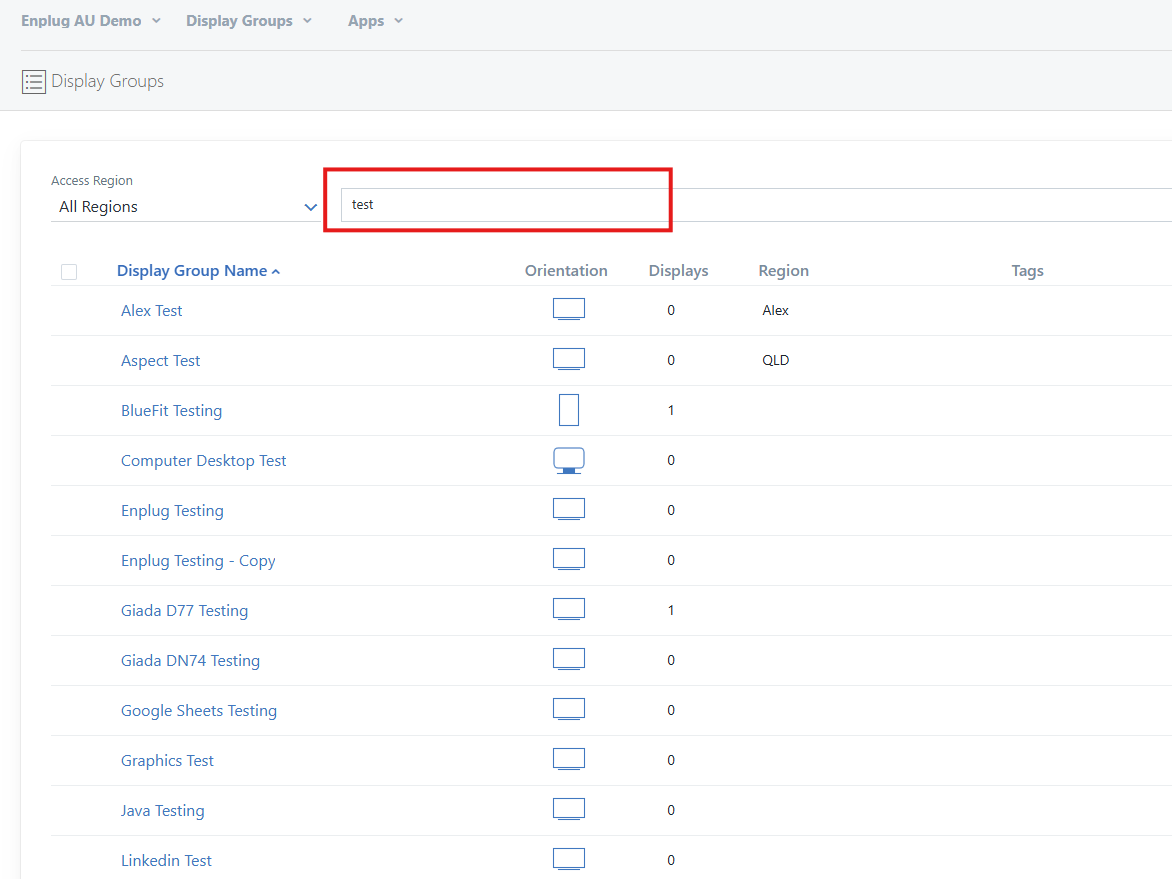
2. Search for the displays that you want to assign tags to. Please note that you cannot select a few display groups and research for other display groups as it will deselect the initial search, therefore it is handy to have a certain naming convention for your display group that can assist in searching.
For example naming in order of state, suburb. Such as "Vic Chadstone".
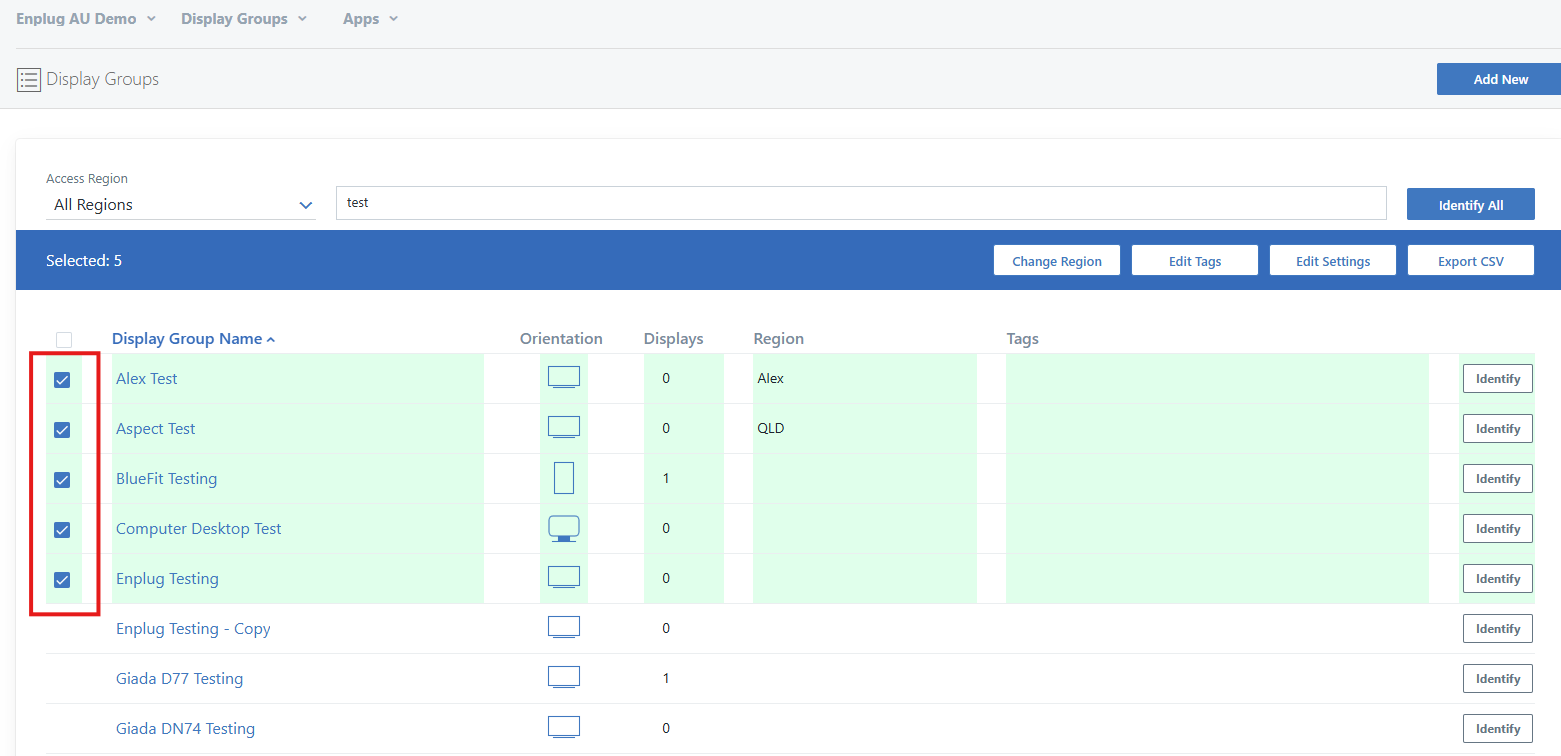
3. Tick the checkboxes of each display group that you want to assign tags to. Alternatively if you want to select all then tick the checkbox at the very top of the column.
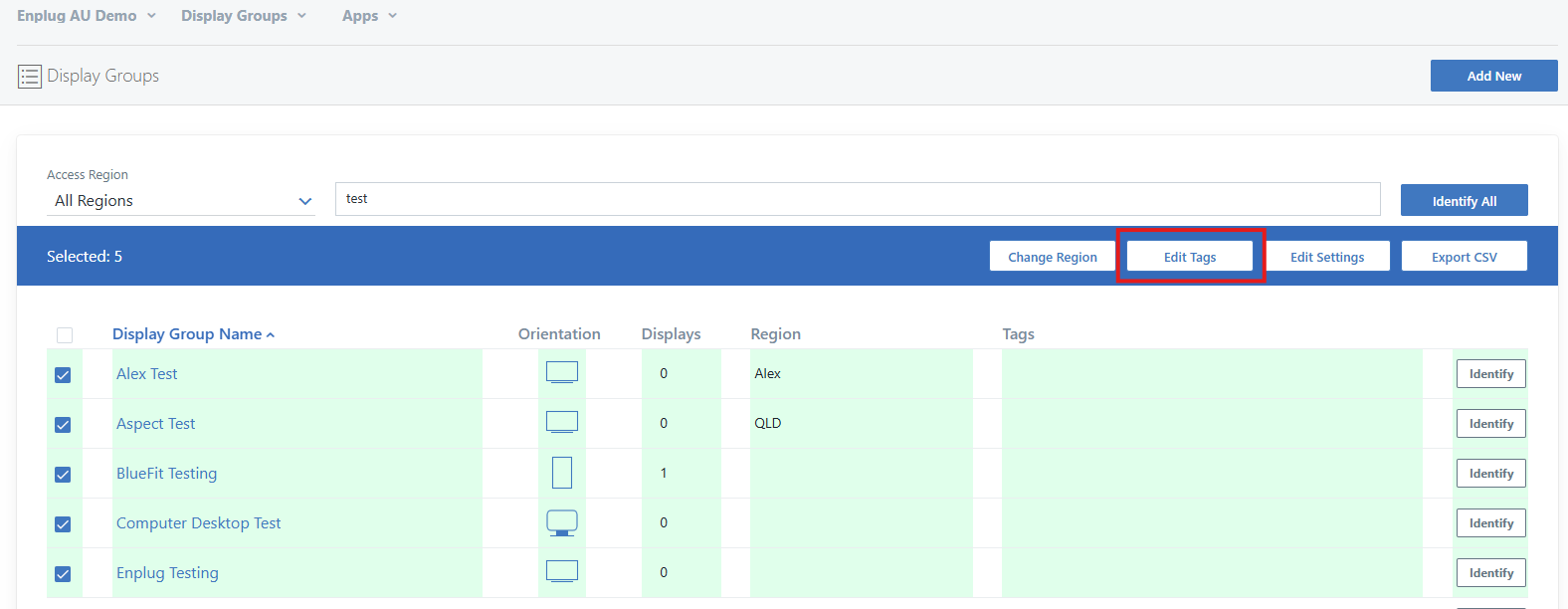
4. Click the "Edit Tags" button to mass-assign tags.
5. In the "Add Tags" text box, you can chose pre-made tags or create your own ones. After typing in your own tags press space to ensure that the tag is made.
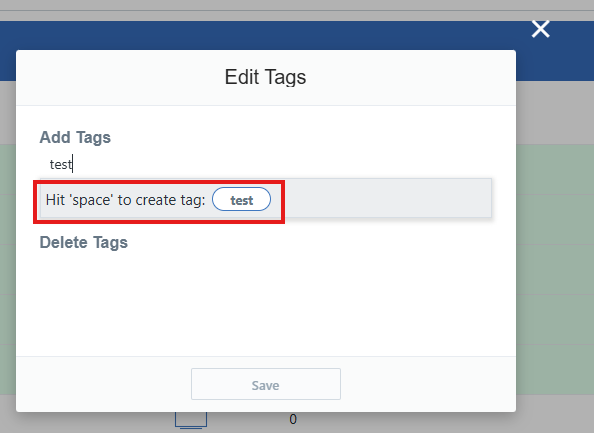
6. Press the save button to save those tags to the selected display groups.
Repeat these steps if you were to search for other Display Groups.
If you have any problems at all with this feel free to contact us via our support email:
support@enplug.com.au