1. Locate the LED Controller. Quite often this is found in the data rack. See below for an example of what an LED Controller can looks like.
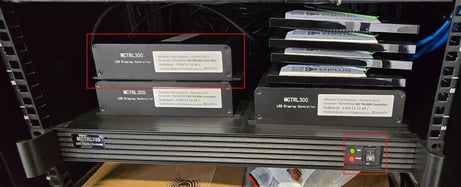
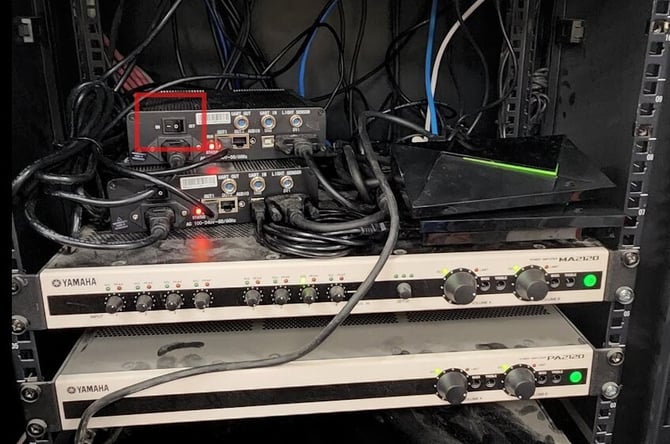
2. Locate the power switch on the Led Controller. This will be on the side of the LED Controller, see below for an example. Turn it off and wait 5 seconds before turning it back on. Check to see if Issue has been resolved.
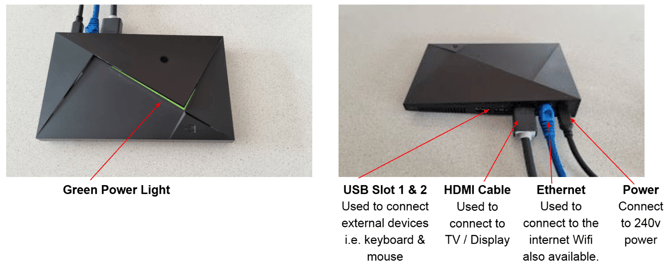
3. If the issue is not resolved, you can try resetting the HDMI cable on the Enplug Device. See below for an understanding on what our device looks like and where the HDMI cable can be found.
If you have any questions at all, feel free to contact us at support@enplug.com.au, or your LED screen provider.